The owner's phone
The owner
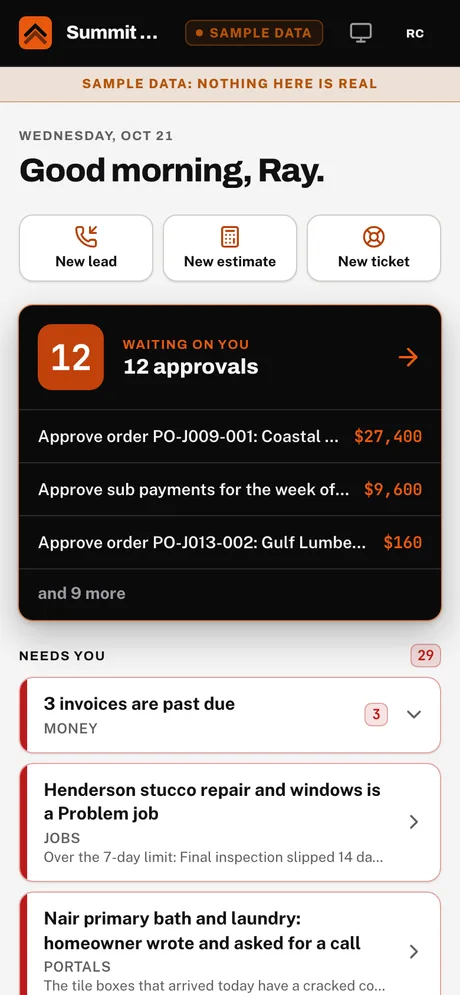
Today: what needs you, what is waiting for approval and the scoreboard. Tap into any job, lead or estimate. Snap a photo from the same screen.
How it works
Follow one remodel through the whole company. For every step: what starts it, who does it (a machine, the AI or a person) and why, what you see on your phone, what the team sees on the desktop, and what the homeowner and the trades see in their portals.
Every step has one of three workers
AI drafts. People decide. Every step is logged.
The tag on each step says who does the work. Several tags mean the work is handed from one to the next.
The evidence that a step really happened: a photo, a signature, a document. Proof is saved to the job.
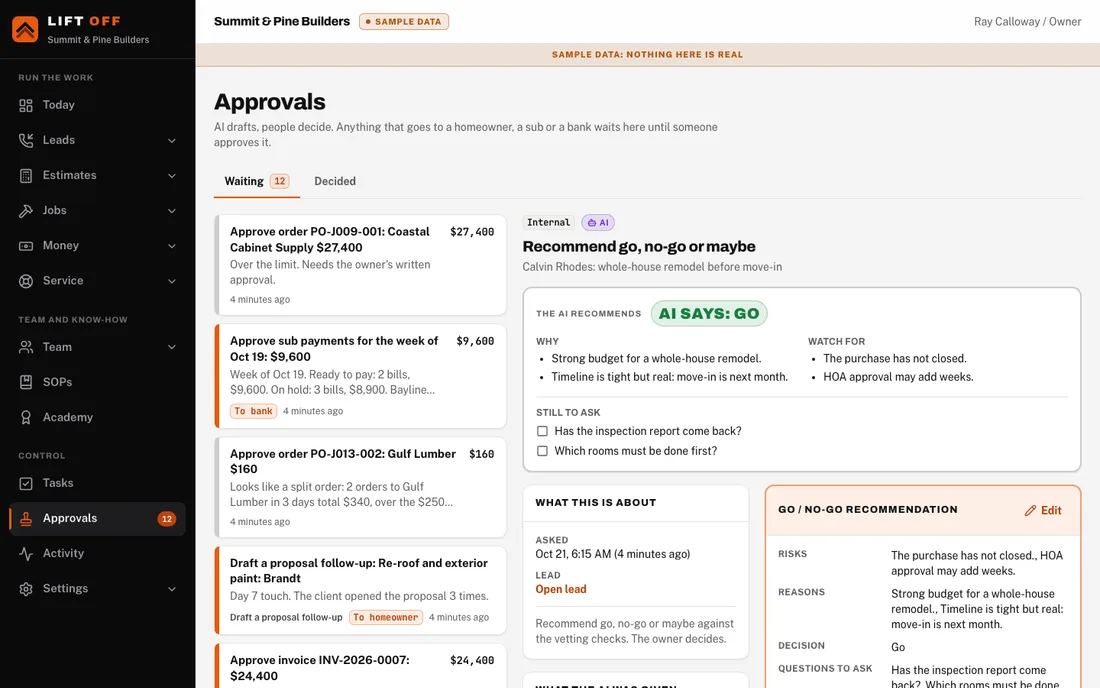
A person decides before it moves on. Nothing goes to a client, a sub or a bank without one.
Four doors into one system
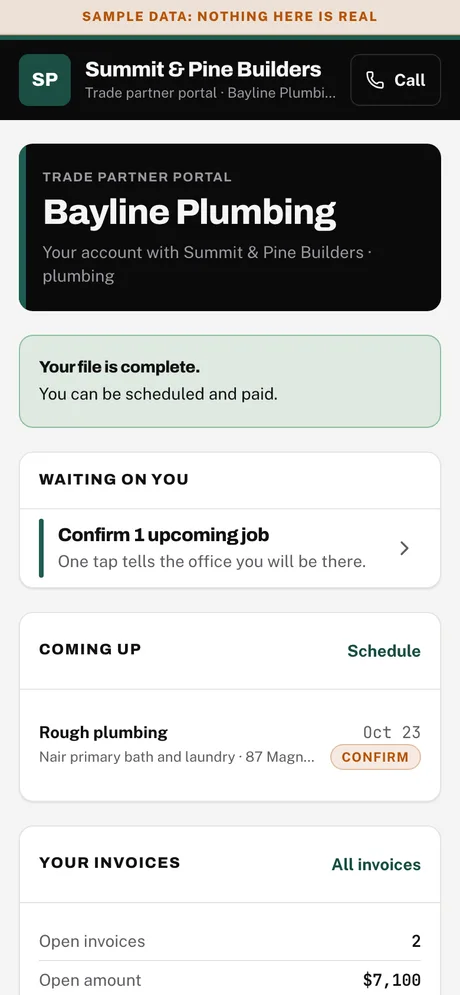
One shared record. The owner gets exceptions and decisions on the phone. The team gets the work on the desktop. The homeowner and the trades get a link to a portal made for them.
The owner
Today: what needs you, what is waiting for approval and the scoreboard. Tap into any job, lead or estimate. Snap a photo from the same screen.
Office, PM, estimator, super
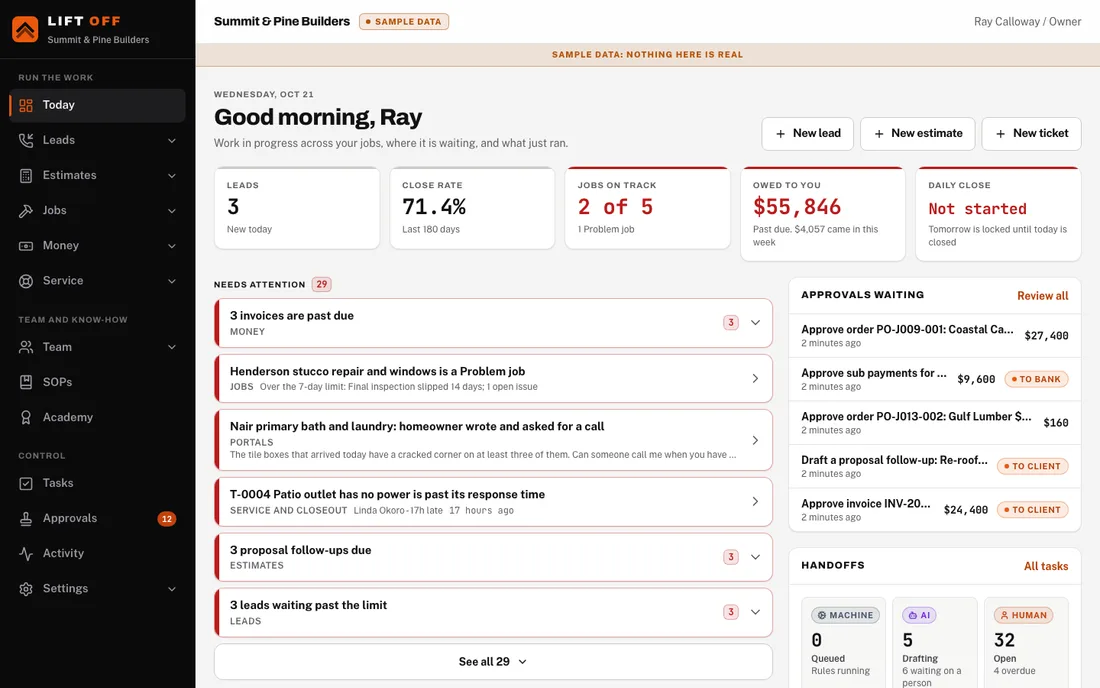
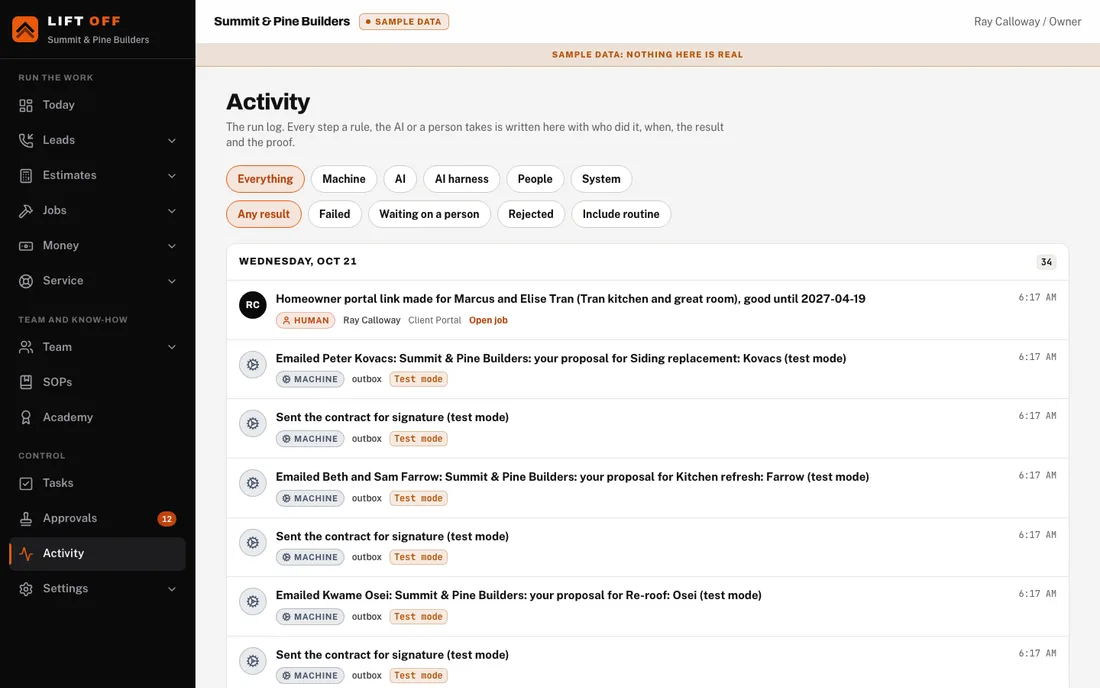
Work in progress across every job, each section's workspace, my tasks and the team's, and the activity feed with the run log.
The homeowner
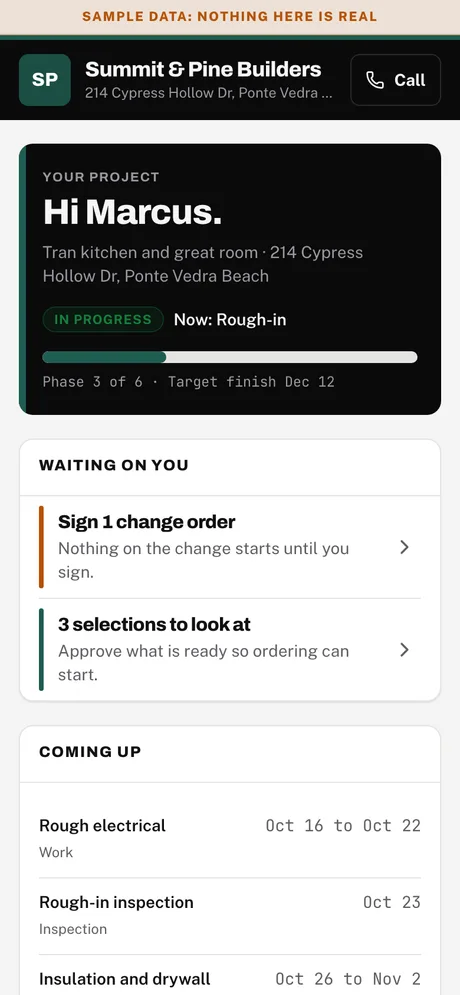
Job status, weekly updates, photos, selections, change orders to sign, payments and service tickets. A link, no password to remember.
Subs and suppliers
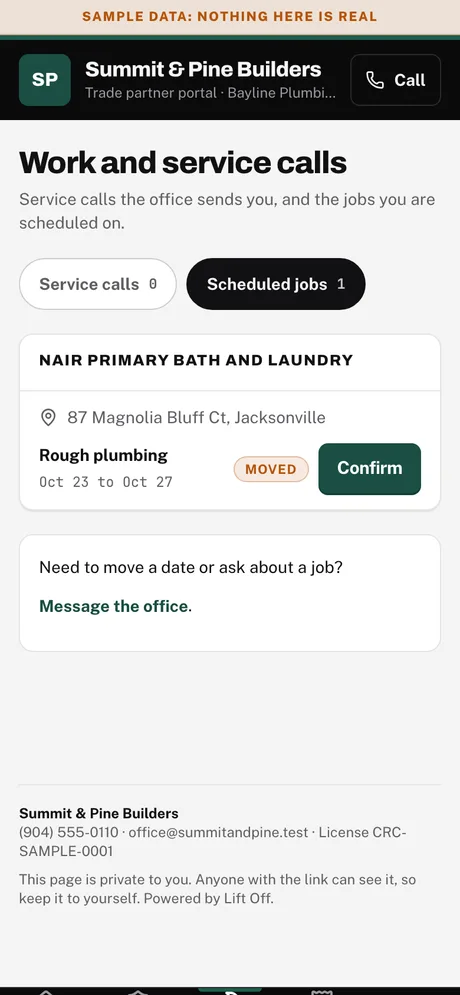
Compliance documents (insurance, W-9, lien waivers), assigned work and service calls, schedule and invoices.
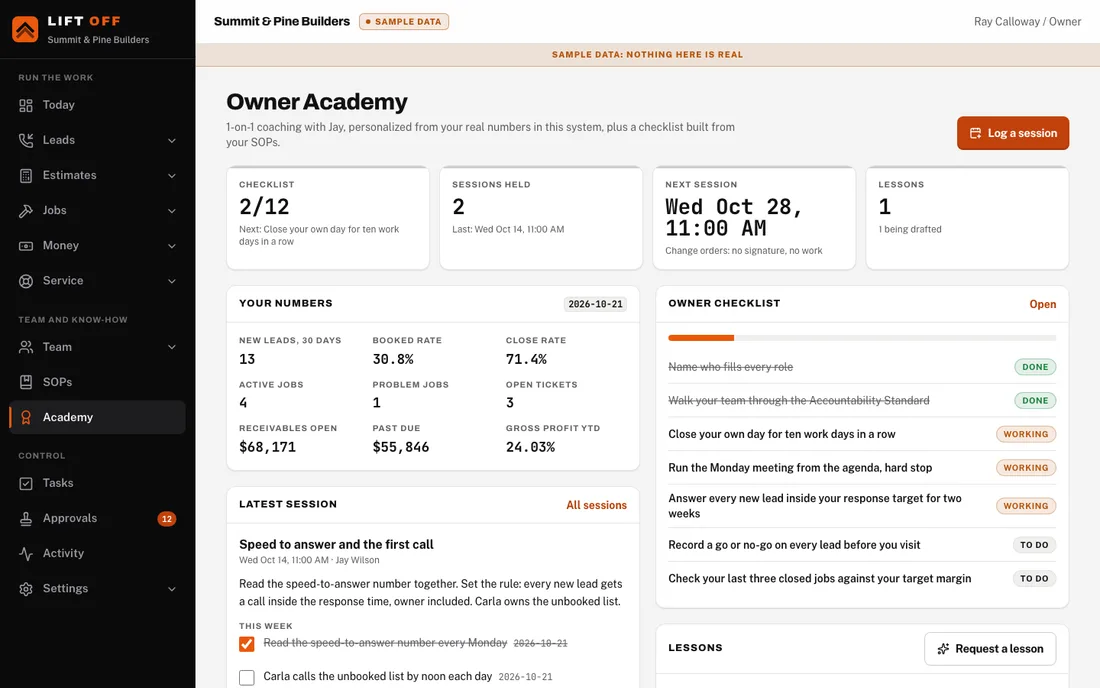
Two parts, plus marketing
They are sold together and share one set of numbers. Both start from the same neutral Standard, so they fit a company in any state. The system runs the company. The Academy uses what the system learns to coach the owner.
Lift Off marketing feeds the front door. Lift Off marketing runs the website, the search and the call tracking that bring homeowners to your phone. Every lead it brings in lands in the front door with its source, and what it spent is tracked next to it, so you can see which source signs jobs.
For the business
The software and the install that run everything except the building itself.
For the owner
Coaching so the owner can step out of the daily weeds.
One job, step by step
Fifteen steps in the order a real kitchen remodel happens. Screens are Lift Off's own sample company, so a few steps show different sample jobs.
A call comes in and a person answers it.
Step 1 / The phone rings
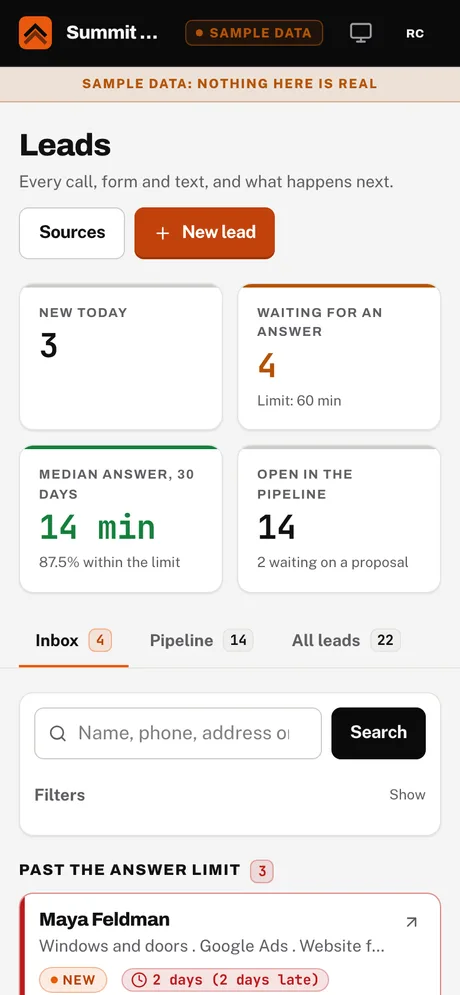
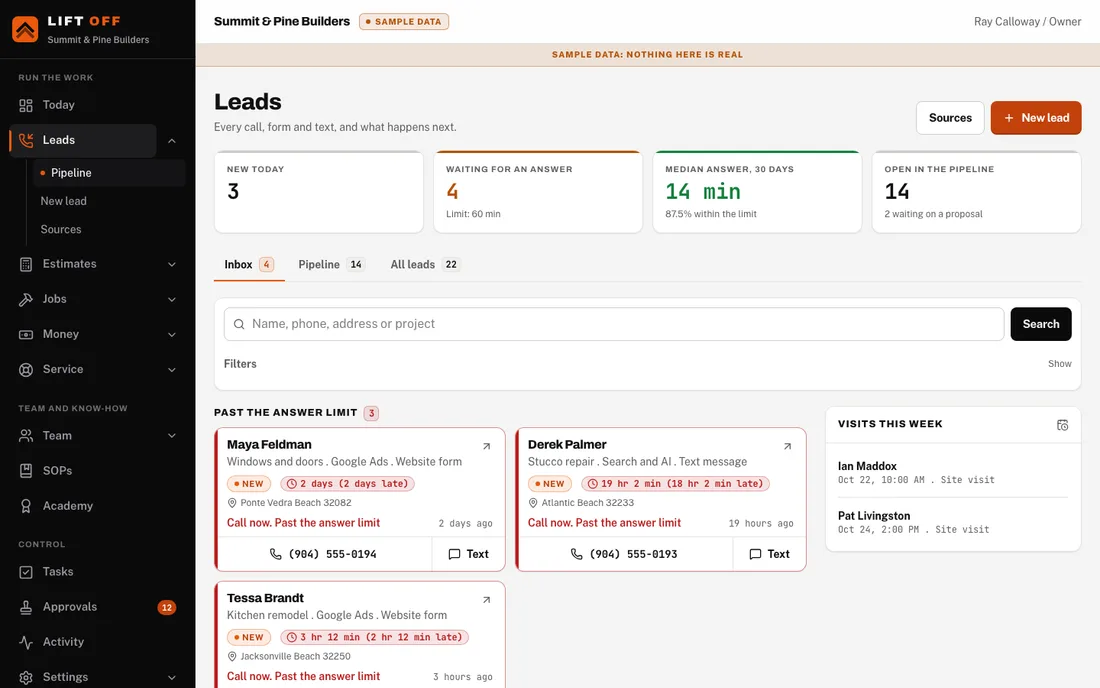
The call, form or text becomes a lead in seconds, with the source it came from. A clock starts.
A homeowner calls a tracking number, fills in your website form or sends a text. Lift Off marketing is what brought them to your door.
Starting default: answer a new lead within 60 minutes. You set the number in Your system, Rules.
Step 2 / Same hour
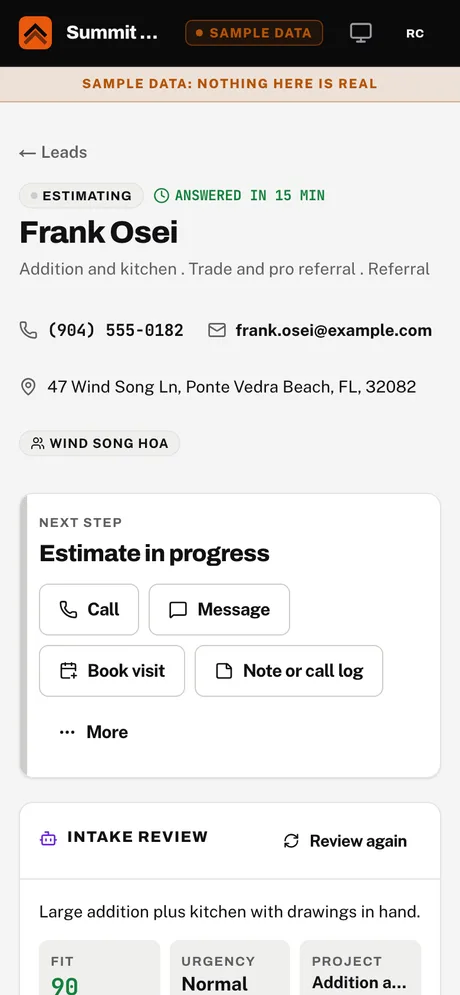
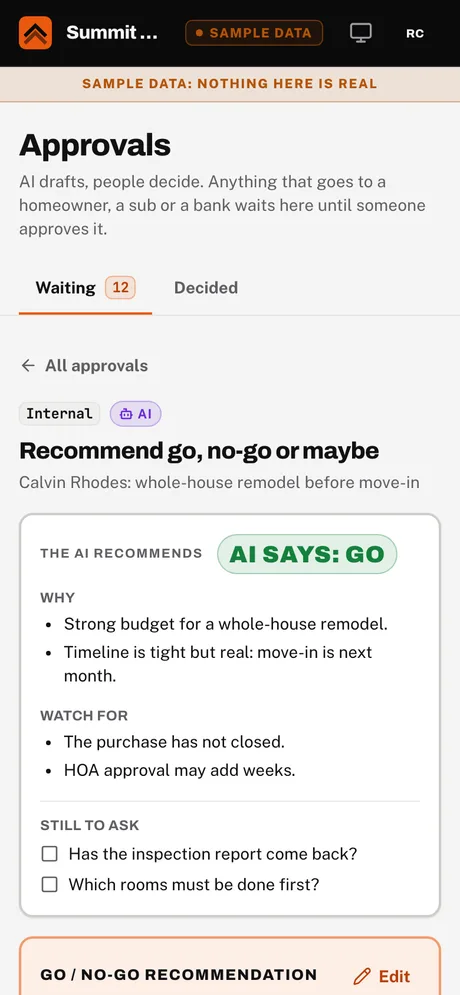
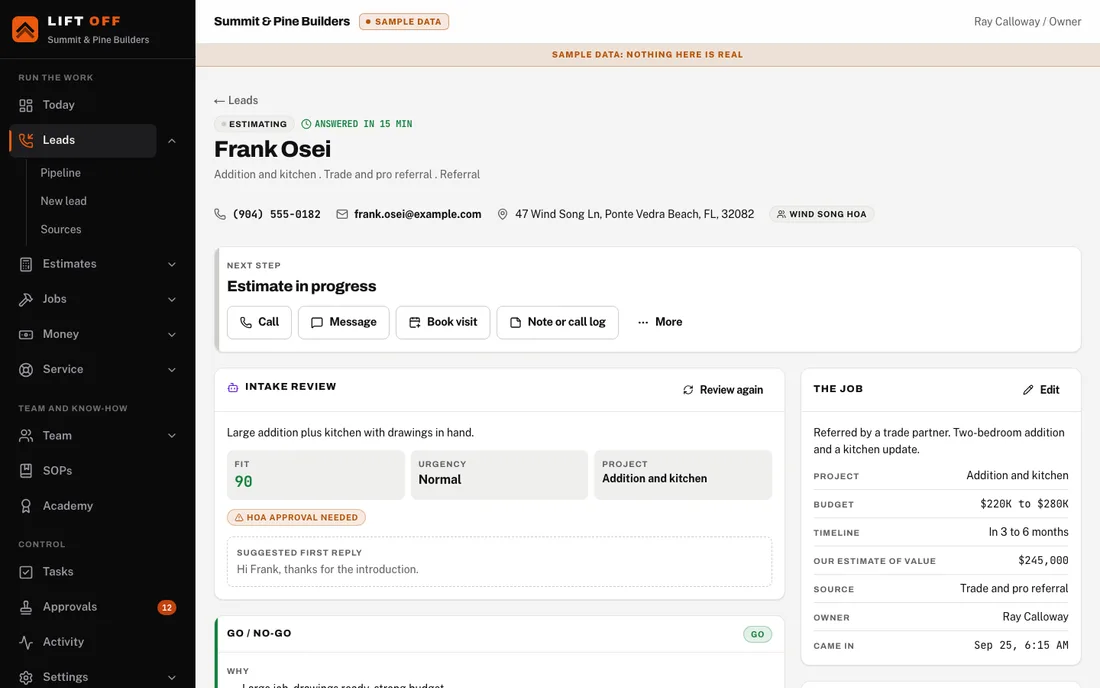
Someone calls back and asks the intake questions. The AI reads the answers and recommends. The owner decides.
The new lead creates a task, "Call new lead", for whoever holds the sales follow-up role.
Step 3 / Next
The visit goes on the calendar. The estimator walks the house and takes the photos the estimate will be built from.
The owner says go, or the homeowner books a time on your calendar.
The price is built, checked and signed.
Step 4 / The estimate
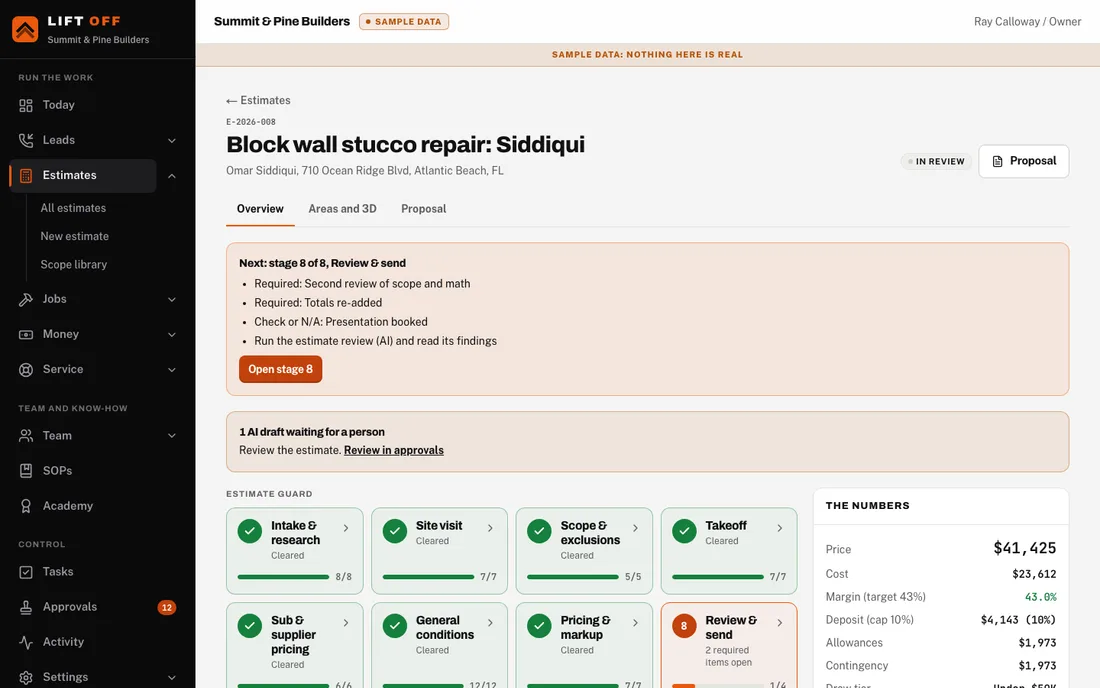
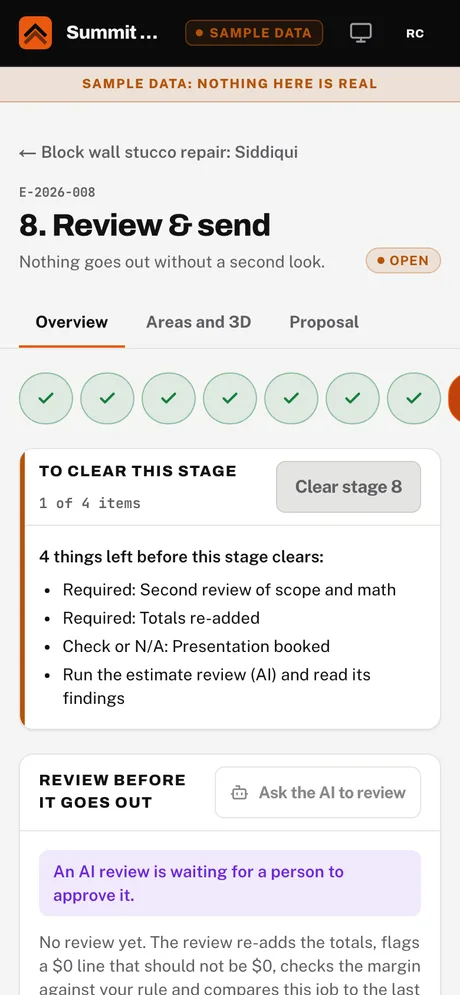
Intake, site visit, scope, takeoff, sub pricing, general conditions, pricing, review. Each stage stays locked until the one before it clears.
The site visit is marked complete.
Price is cost divided by one minus your target margin, with markup on every line. Starting default: a 30 percent target margin. Both are rules you set.
Step 5 / The proposal
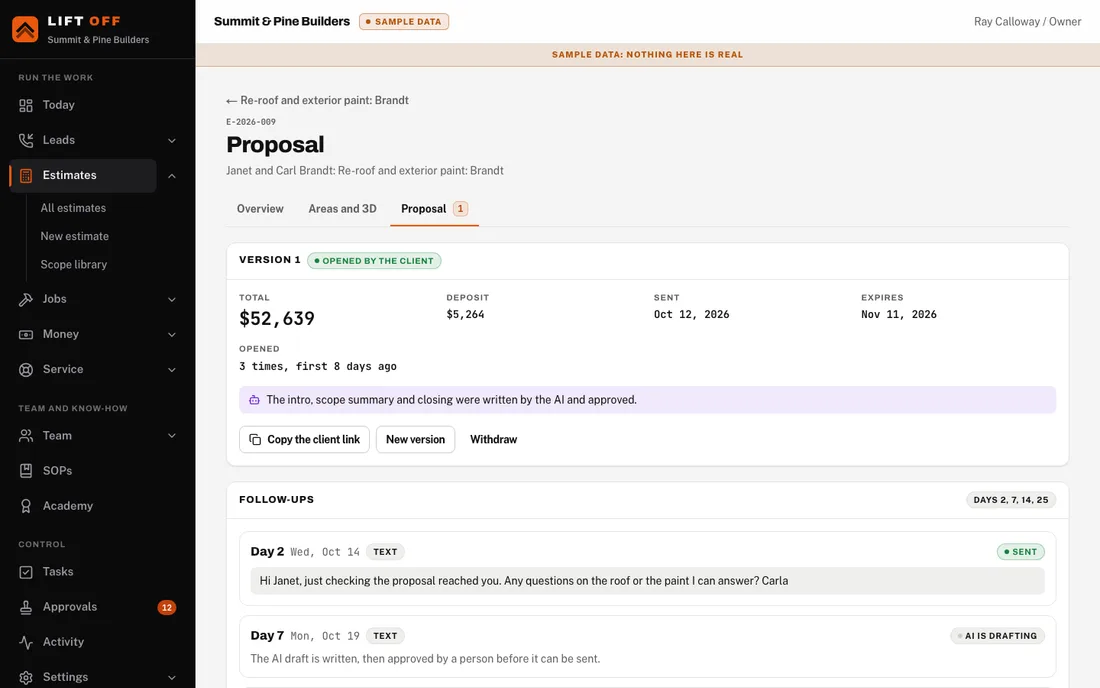
The homeowner reads a web proposal and signs it on their phone. If they go quiet, follow-ups run on your cadence.
The owner approves the estimate.
Starting default: follow up on days 2, 7, 14 and 25. You set the days.

The build, with proof at every gate.
Step 6 / On signing
The job, its draw schedule and its first tasks are created on their own. The deposit invoice is ready.
The homeowner signs.
Starting default: a 10 percent deposit. If your state limits deposits, the state pack caps it, and your attorney confirms the limit. Nothing here is legal advice.
Step 7 / Before the trades arrive
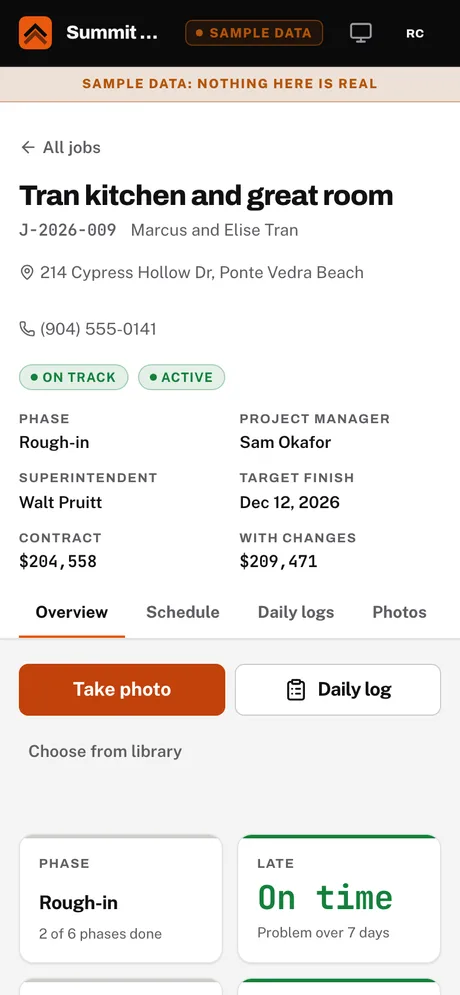
Lift Off works out when each thing must be ordered, and checks the job is ready before a trade shows up.
The schedule is set, and again every time a date moves.
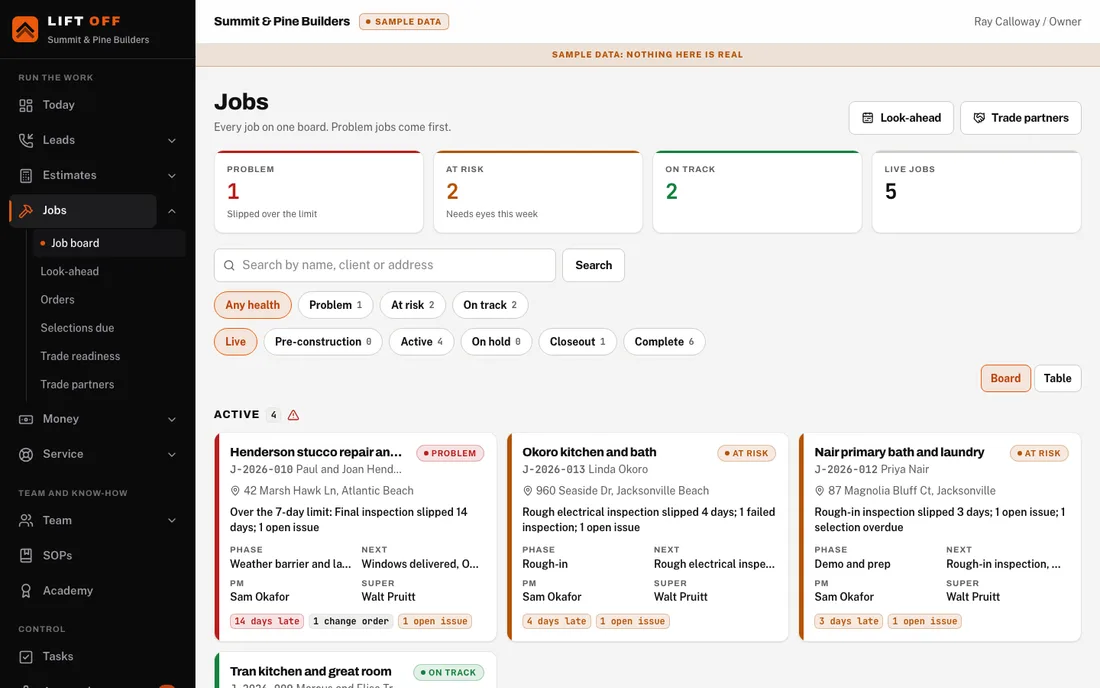
Starting default: a slip of more than 7 days makes it a Problem job. You set the number.
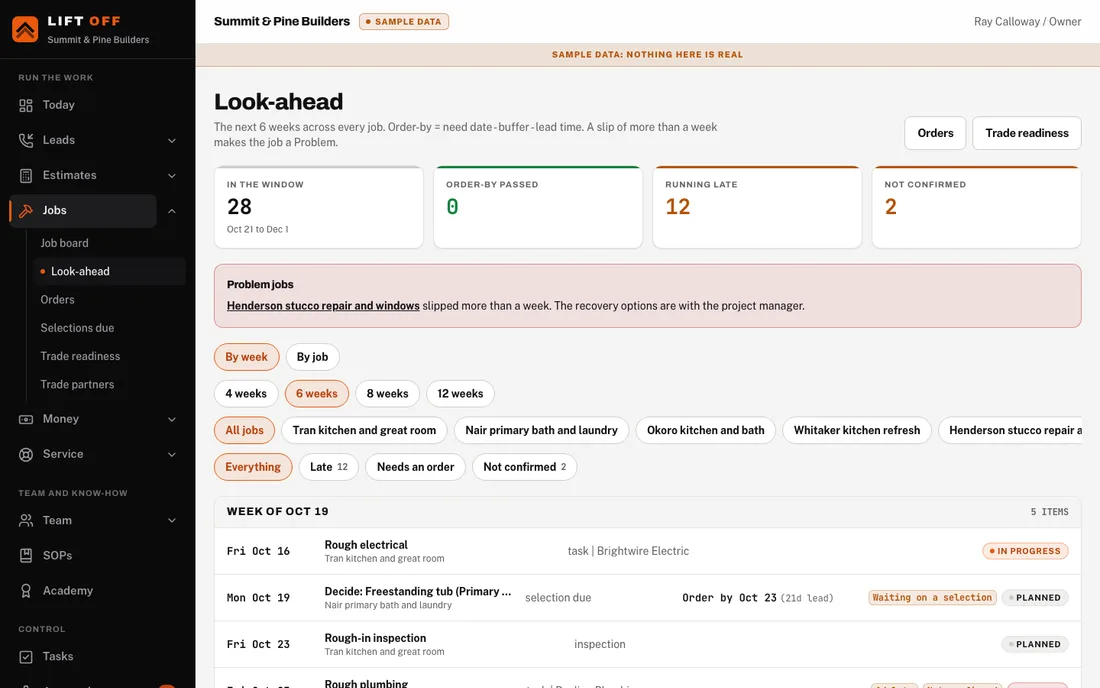
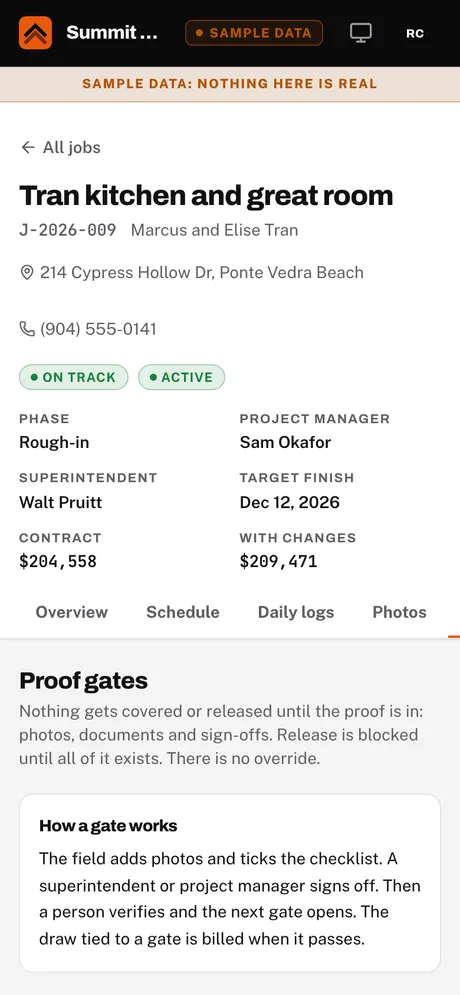
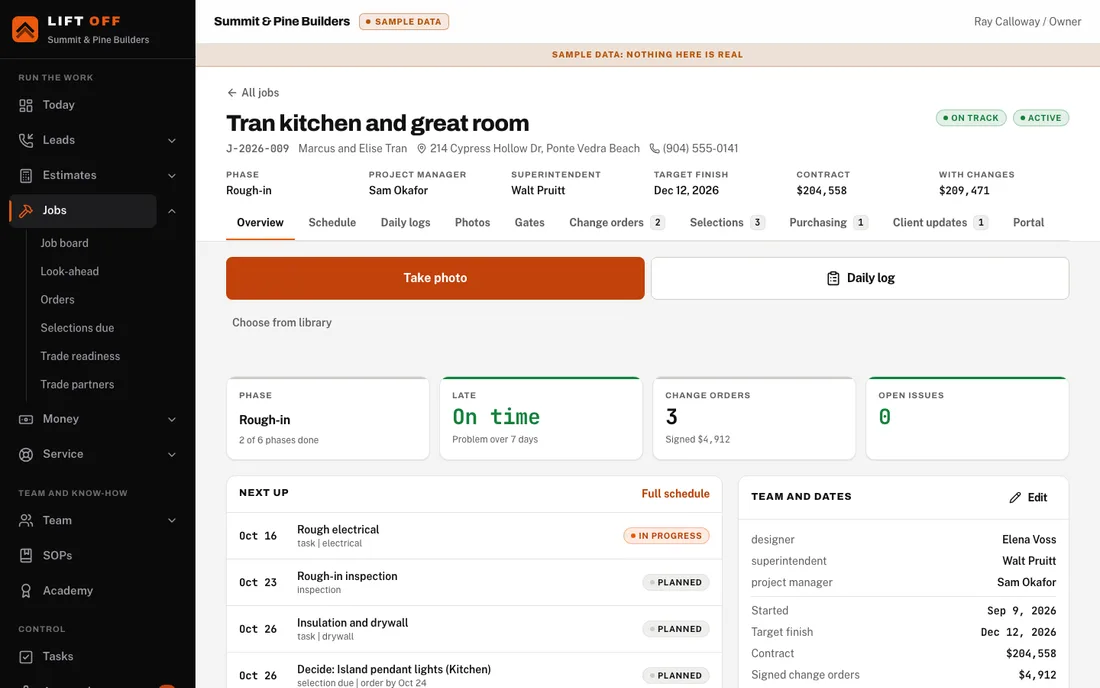
Step 8 / Every day on site
The crew takes photos, even with no signal. Each one is tagged to the job, the area and the gate it proves.
The crew opens the phone camera on the job.
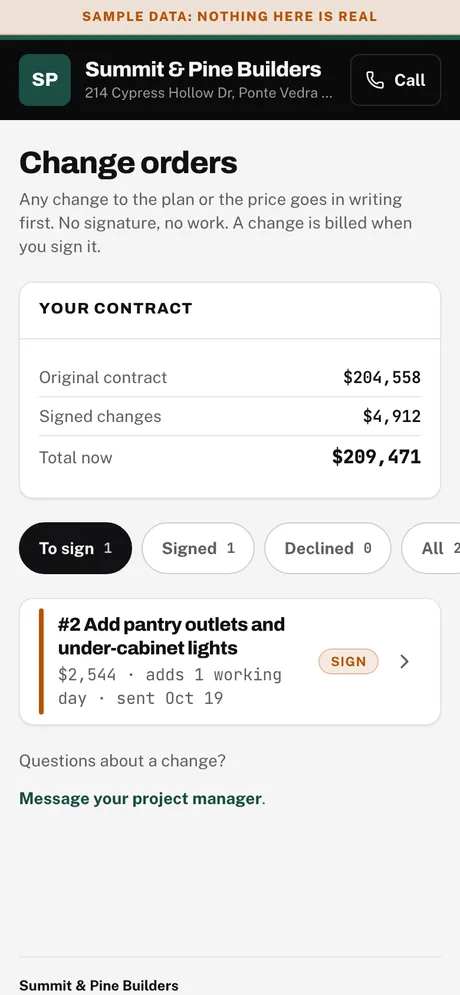
Step 9 / When the scope changes
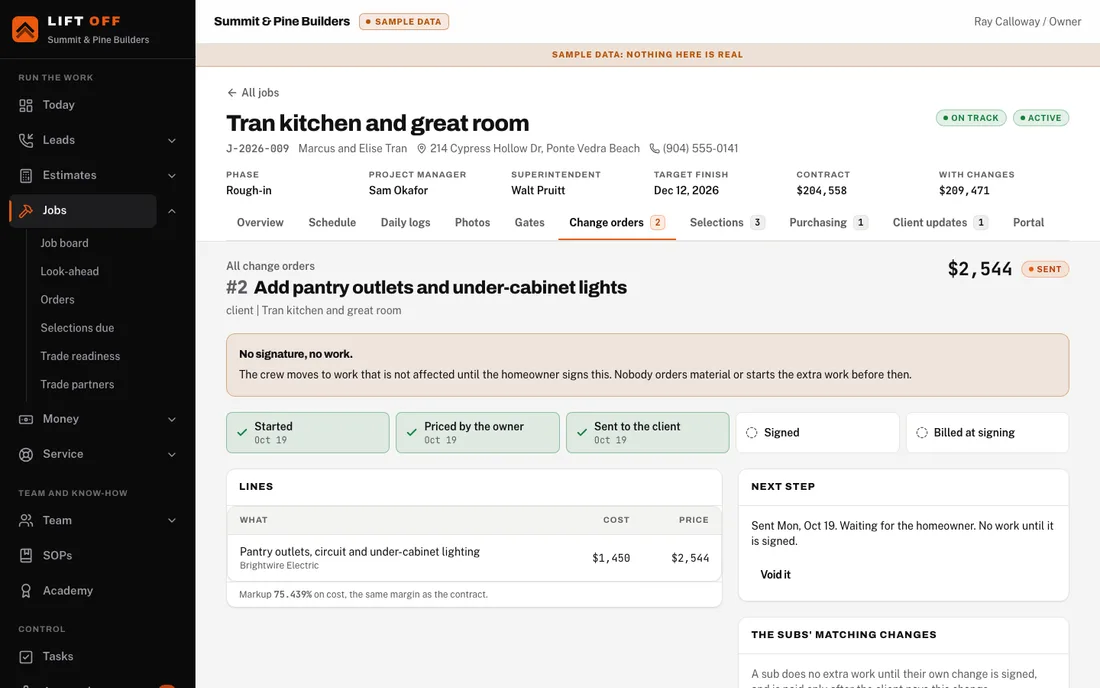
A change order is priced within a business day, signed by the homeowner and billed at signing.
The crew reports a change or a hidden condition from the field.
Starting default: price within 1 business day of the field report. Business days follow your work week and holidays.
Step 10 / Every week, on the day you set
A weekly update goes to the homeowner, written from the week's logs and photos.
Update day arrives on your schedule.
Starting default: drafted Friday morning, sent by mid-afternoon. You pick the day and the times in Your system, Schedules.
Billed on proven work. Subs paid on one rhythm.
Step 11 / As gates are proven
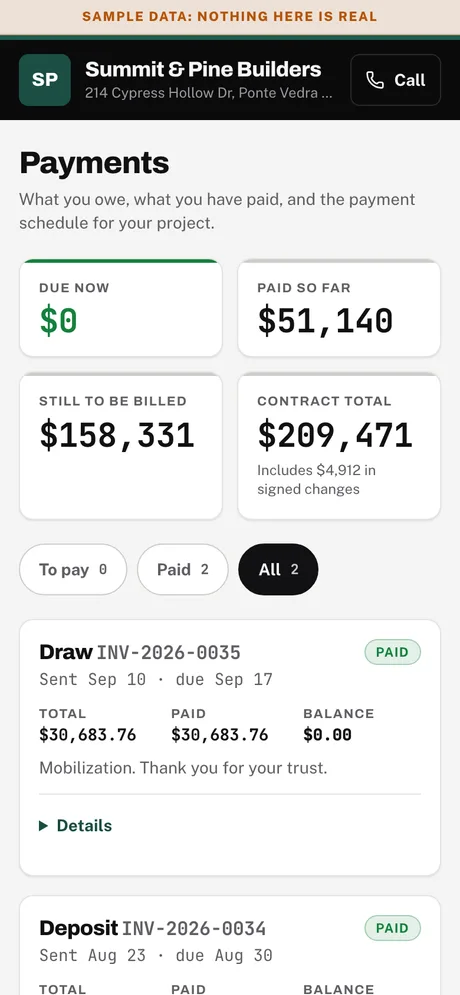
When a milestone is proven the invoice is ready. The homeowner pays from their portal.
A proof gate is verified.
Step 12 / Every week
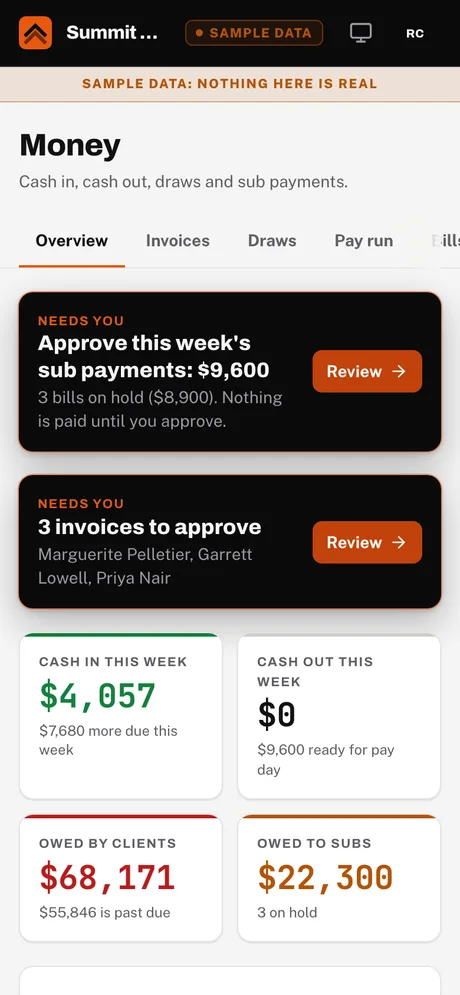
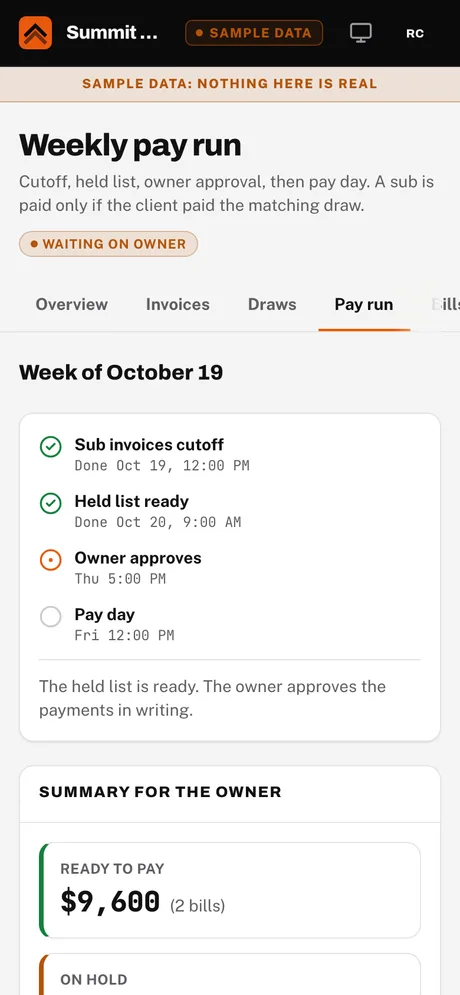
One weekly cycle for every job. Sub invoices are collected, the held list is drafted, the owner approves, and payment goes out.
The weekly cutoff, on the day and time you set.
Starting default: cutoff Tuesday noon, held list Wednesday, owner approval Thursday, pay Friday. These are defaults: you set the days and times, and they skip your holidays.
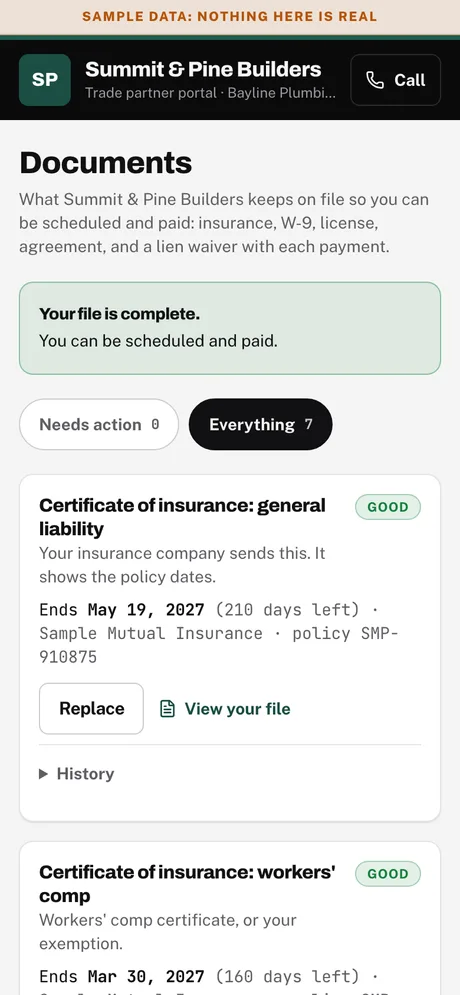
Handoff, the review request, and what comes after.
Step 13 / Last weeks
A punch list is drafted from the photos. A person walks the job with the homeowner.
The finishes are in. The checklist and first punch list open on their own.
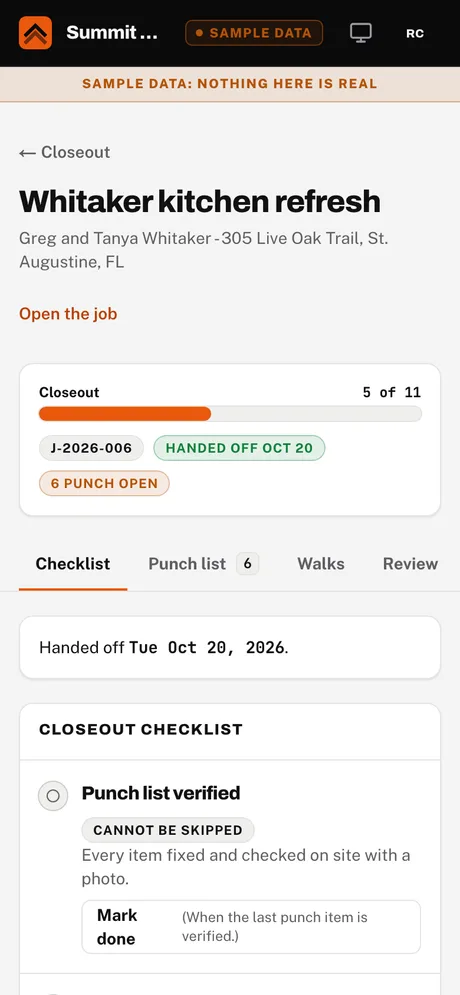
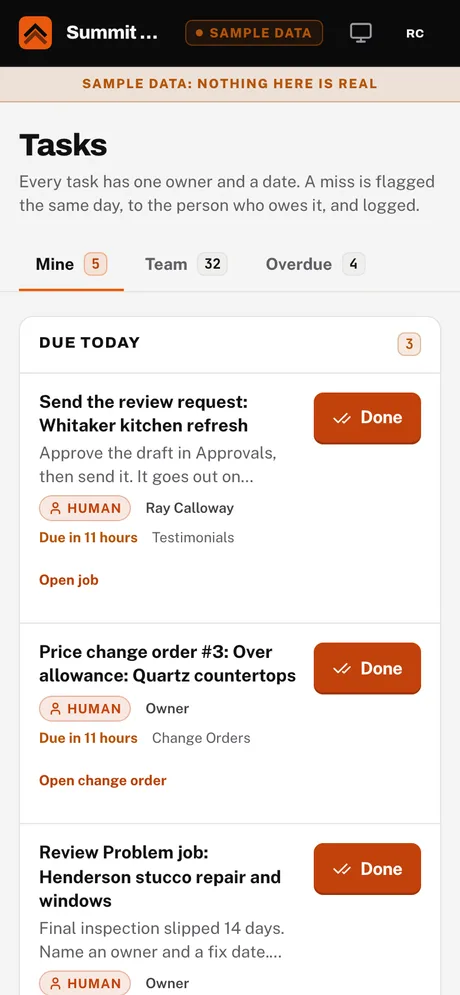
Step 14 / Handoff day
On handoff day Lift Off asks the homeowner for a review, the same day, while the work is fresh.
The owner marks the job handed off.
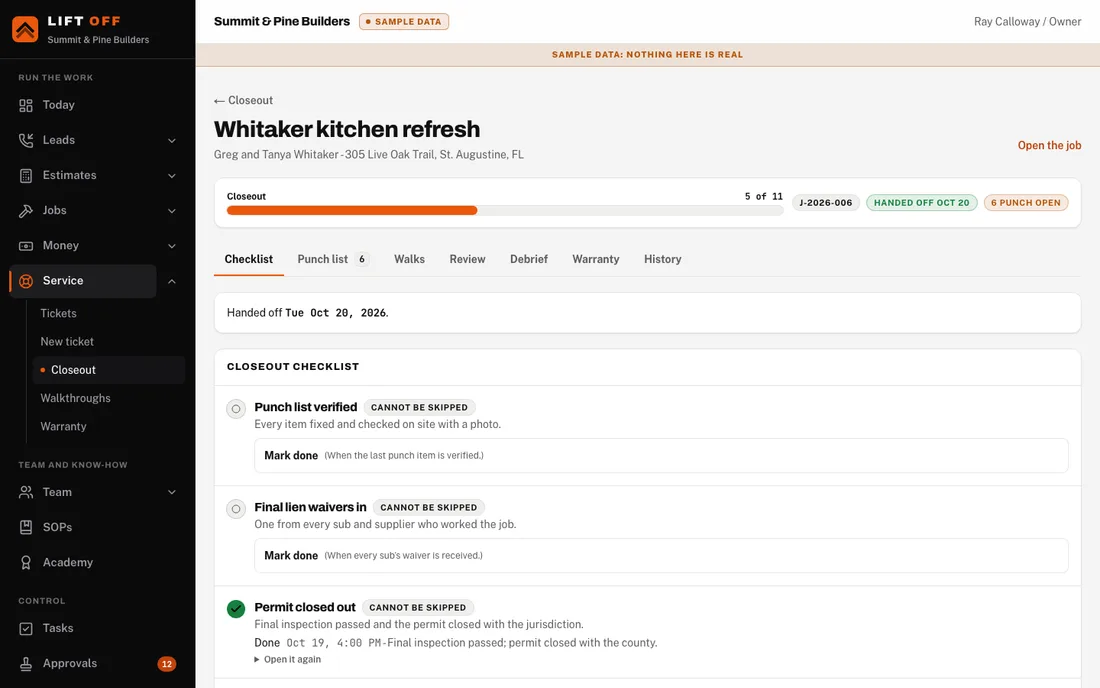
Step 15 / After the handoff
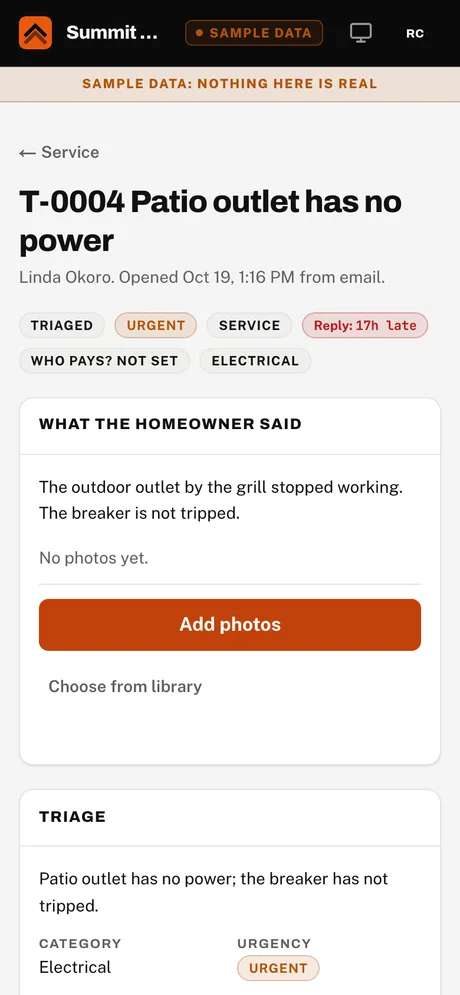
A homeowner opens a ticket from the portal. It is sorted, sent to the right trade and closed with proof.
The homeowner opens a service ticket, or a walkthrough date arrives.
Your system
Lift Off ships a neutral Standard that works in any state. Your company's own settings and wording sit on top of it, and the owner's judgment sits on top of that. The layers are always visible, so you can see what is ours and what is yours.
Ours, the same for every company, any state
A neutral way of running a residential contracting company: the steps, who does each one (a machine, the AI or a person), the gates, the approvals and the rhythm. It carries starting defaults, not one company's numbers.
Yours: what you change or bring in
Your own limits and days, your own wording, your own processes. You change them in Your system, or we bring them in with you during setup from the material you already have. The Standard is a starting point, never a cage.
Your judgment, standards and voice
A guided interview and a few samples of your real messages become an owner profile: the jobs you walk away from, your non-negotiables, how you talk to homeowners and how you decide on price. You edit it and approve it. AI drafts read the version you approved.
Legal limits, required notices and local wording differ by state, so they live in a state pack, separate from the Standard. Each company picks its state (and county), and can change it later in Your system.
Florida is built out: deposit limit, lien timing, notice of commencement, product approval, contract notices and local wording.
Georgia is an example pack that shows how a pack is built. It is marked as an example, and you confirm every value with your attorney before you rely on it.
Starts on the Lift Off Standard plus an attorney checklist: deposit limit, required notices, lien rules and permit fees for your towns. Your attorney's answers become your company's own settings.
Not legal advice. Lift Off is not legal advice. Every legal value, in a pack or on the checklist, is confirmed with your own attorney. Lift Off checks that a required notice is present and on time; the wording comes from your attorney.
Some companies start from a saved profile, for example the "Design-build playbook (proven)": a full set of rules, schedules and processes from a working design-build company. It is a template you can adopt, change or ignore. Nothing applies it on its own.
Where proof and approvals happen
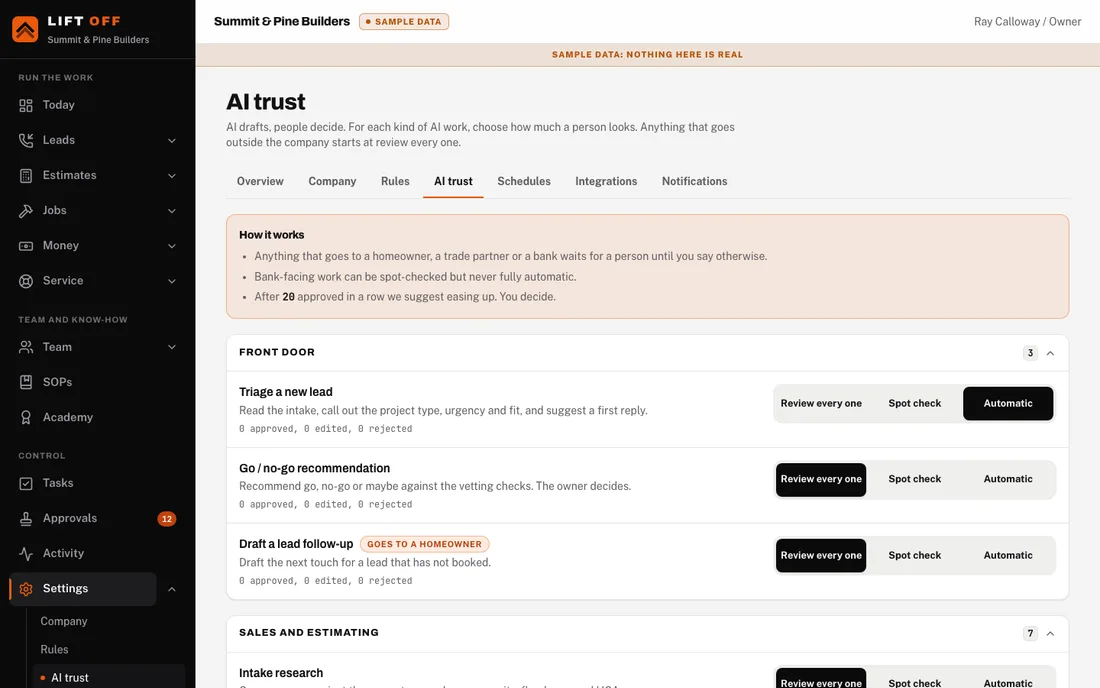
How much the AI is trusted is a setting, per kind of task, per company. Until a kind of task has earned trust, a person approves it.
Getting started
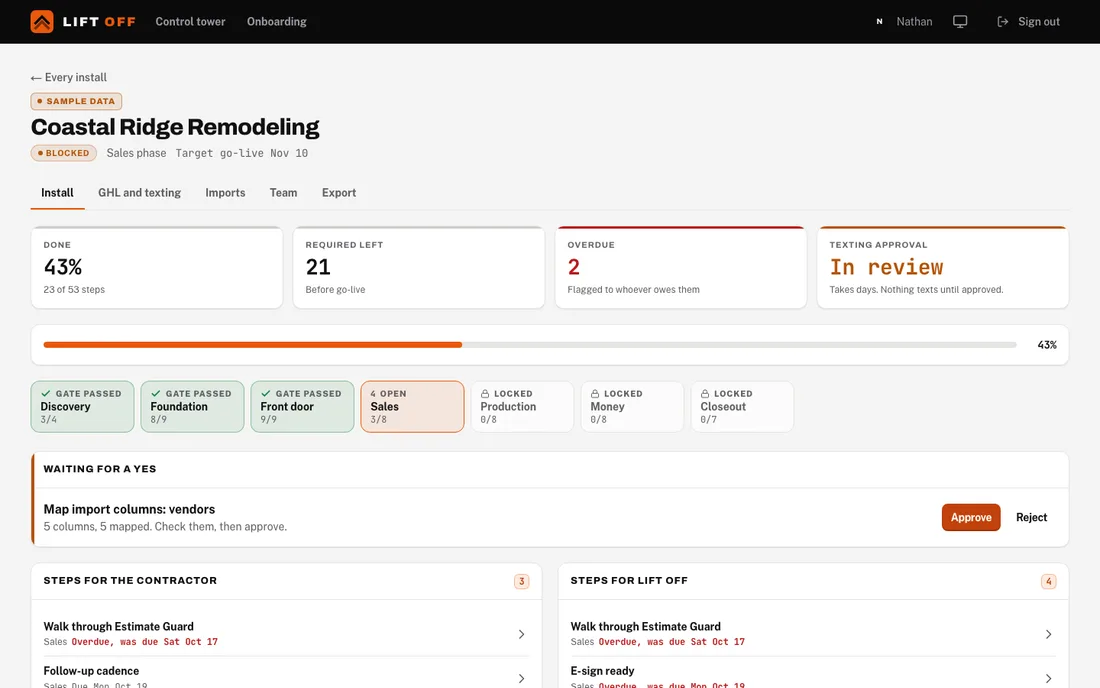
A phase opens when the one before it passes its gate. Anything with a long carrier wait, like texting approval, starts on day one so it does not hold up go-live.
Learn how the business runs today, in the owner's own words, and collect the material you already have: processes, estimates, pricing sheets, proposals, contracts. Nothing is changed yet.
The account, state, roles, rules and libraries are set up for this contractor, on the Standard plus the state's pack. Your material is mapped in, and you record the owner interview. People get their logins.
Leads, calls, texts and booking are wired up. Texting needs carrier approval, so it starts on day one.
Estimate Guard, the scope library and pricing rules fit this contractor, and a proposal can be signed.
Jobs, schedules, daily logs, proof gates and the client portal work with this company's trades and crew.
Draws, invoices, homeowner payments, the weekly sub-pay cycle and the books.
Go live. Warranty and service tickets, the Academy kickoff, training, and the owner signs off.